
Every click and scroll leaves a mark. Whenever you visit an online store, read a news article, or stream a video, you engage in a data exchange. At the core of this exchange is your unique numerical identifier. Consequently, users frequently ask how websites track an IP address and whether this compromises their digital privacy.This guide explores the mechanics of digital identification, the reality of geolocation, and how to effectively mask your footprint using professional tools like 922 S5 Proxy.
How Websites Track an IP Address
To understand data collection, we must look at the fundamental architecture of the internet. When you type a URL, your device sends a request to a remote server. For that server to return the webpage to you, it must know your destination. This “return address” is your IP (Internet Protocol) address.
Therefore, it is technically necessary for a server to track an IP address to establish a functional connection. However, modern websites utilize this data for more than just connectivity:
1. Server Logs and Geolocation
Web administrators analyze server logs to identify where traffic originates. By choosing to track an IP address, they can determine your geolocation—typically down to the country, city, or ZIP code level. This allows platforms to display local content, regional pricing, or language specific to your area.
2. Browser Fingerprinting
Beyond simple IP logging, advanced sites use “fingerprinting.” This method combines your IP data with browser details (screen resolution, version, installed fonts). This creates a highly specific profile, allowing advertisers to recognize you even if you delete your cookies.
3. Security Protocols
Banks and secure platforms track an IP address to flag suspicious behavior. If a login attempt occurs from a different continent than your previous session, the system may block the request to prevent fraud. While useful for security, this mechanism creates a constant record of your digital movements.
Can an IP Address Reveal Your Home?
A common misconception is that an IP address reveals your exact doorstep. In reality, when websites or individuals track an IP address, they are identifying the node provided by your Internet Service Provider (ISP).
- What they can see: Your City, Region, ISP Name, and approximate ZIP code area.
- What they cannot see: Your physical street address, name, or apartment number.
However, for businesses conducting market research or individuals concerned about digital privacy, even revealing a city-level location can be problematic. This is why masking your origin is a standard professional practice.
How to Stop Tracking: Masking Identity with 922 S5 Proxy
To prevent third parties from logging your personal network details, you need an intermediary. 922 S5 Proxy offers a robust solution by routing your traffic through a secure gateway. When a website attempts to track an IP address while you are using 922 S5, they will only see the IP of the proxy server, not your device.
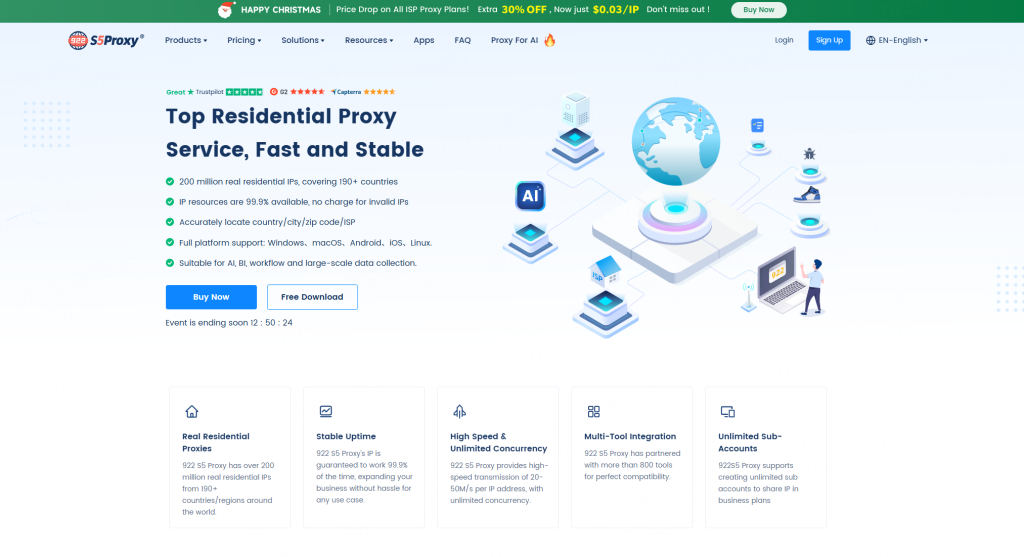
Unlike standard datacenter proxies that are easily detected, 922 S5 Proxy utilizes Residential IPs. These are addresses assigned to real devices in private homes, ensuring your connection appears 100% organic and trustworthy.
Key Advantages of 922 S5 Proxy:
- Global Access: Select IPs from 190+ countries to view the web as a local user in any region.
- Massive Pool: Access to over 200 Million+ active IPs ensures you never run out of fresh connections.
- Granular Targeting: You can filter IPs by country, city, or ZIP code for precise market analysis.
- High Success Rate: With a 99.9% uptime, these proxies are ideal for data scraping, ad verification, and managing e-commerce accounts.
Residential IPs vs. Free Tools: Which Offers Better Privacy?
Many users attempt to use free tools to hide their activity, but these often leak data. Here is why a professional solution is superior:
| Feature | Free / Datacenter Tools | 922 S5 Residential Proxies |
| Detectability | High (Often Blocked) | Low (Appears as a Real User) |
| Speed & Stability | Slow / Unreliable | Fast / 99.9% Uptime |
| Privacy Level | Low (Logs may be kept) | High (Secure Encryption) |
| Cost Efficiency | Free (Hidden costs) | From $0.03 / IP |
922 S5 Proxy provides flexible pricing, with ISP Static Proxies starting at just $0.03 per IP, making professional-grade privacy accessible to everyone.
Frequently Asked Questions
To further clarify how digital footprints work, here are answers to the most frequent questions.
Q: Does Incognito Mode stop websites from tracking my IP?
A: No. Incognito Mode only prevents your browser from saving history. Websites and your ISP can still track an IP address and see your online activity.
Q: Is it illegal to use a proxy to mask my IP?
A: No. Using a proxy service like 922 S5 Proxy to protect your privacy or conduct business research is a legal and common practice in the cybersecurity industry.
Q: Why do I need a Residential IP specifically?
A: Websites trust Residential IPs because they belong to real people. If you use a generic server IP, websites often deny access. Residential IPs ensure you can browse without interruption.
Conclusion
It is standard procedure for online services to track an IP address for analytics, regional customization, and security. However, you have the right to manage your digital presence. Whether you are a business analyst testing global ads or a user concerned about privacy, revealing your personal network data is not mandatory.
By leveraging 922 S5 Proxy, you can replace your digital footprint with a high-trust residential IP. With affordable plans starting at $0.03/IP and a global pool of 200 million resources, 922 S5 provides the necessary shield to navigate the internet securely and freely.